Filament inventory FAQ
Does 3D Print Manager weigh my filament automatically?
No. You update remaining weight manually, or it is reduced as you log print usage. On a PRO or FARM plan, 3DPM Agent (Bambu Lab, Prusa, Klipper) or the optional Home Assistant integration can automatically reduce spool weight based on tracked print usage, but 3D Print Manager does not require any special hardware to keep inventory accurate.
Can I track filament across multiple printers and AMS units?
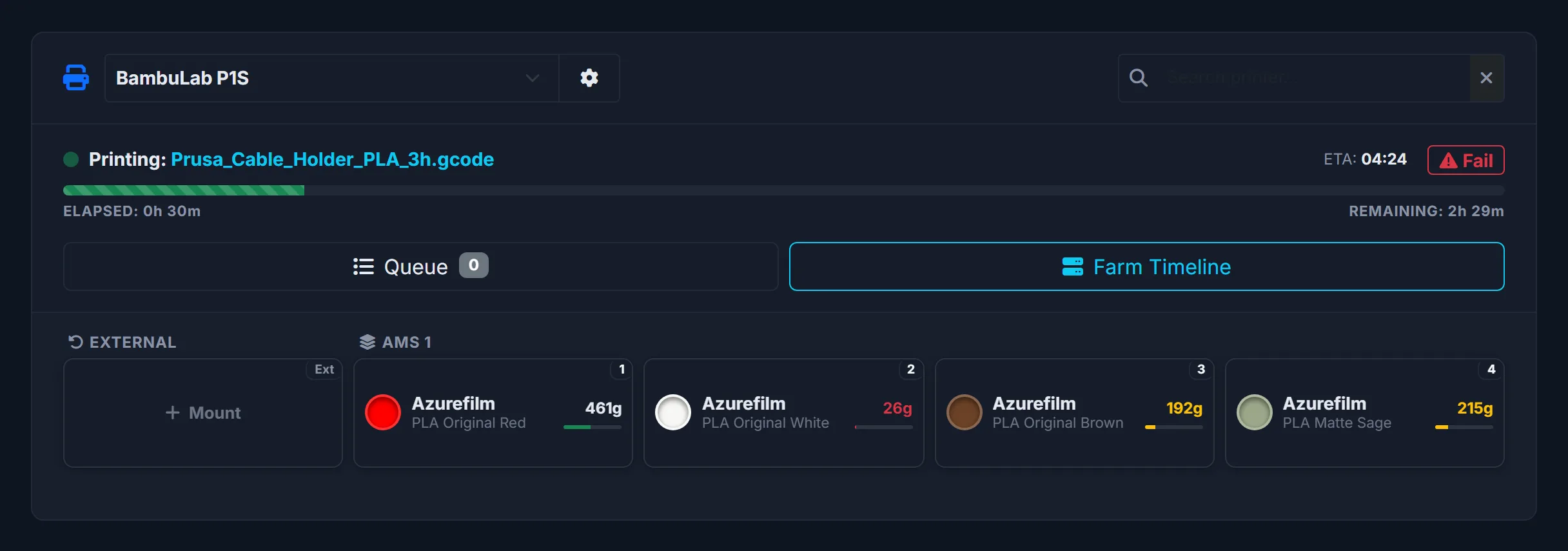
Yes. You can record where each spool is stored, including AMS slots, dryers and shelves, so you always know what is available and where it is across the whole print farm.
Does it automatically order filament when stock is low?
No. 3D Print Manager raises a low-stock alert so you can decide what to reorder. It never purchases filament for you. Buying decisions stay with the farm owner.
Do I need a barcode scanner to use it?
No. QR labels and barcode scanning make updates faster, but they are optional. You can manage filament inventory entirely by hand if you prefer.
Does it mount Bambu Lab spools by itself?
Yes, for original Bambu Lab spools with an RFID tag in an AMS, through 3DPM Agent on PRO. The AMS reads the tag and 3D Print Manager mounts the spool without asking: the same spool from your inventory, or a new one with the barcode, price and storage of your last spool of that product. For a product with no price in your inventory it asks once for the price and storage. After that the spool is mounted in whatever slot you put it, and taken off when the slot is empty. Spools of other brands have no tag: mount them once by hand or with a barcode scan, and the grams are still deducted per slot after every print.
Is 3D Print Manager an alternative to Spoolman?
For many users, yes, but the two work differently. Spoolman is free, open source and self-hosted, and Klipper supports it natively through Moonraker. 3D Print Manager is a hosted web app: no server to run, automatic deduction per Bambu Lab AMS slot through 3DPM Agent on PRO, low-stock alerts, and filament cost, orders, quotes and invoices on the FARM plan.
Is this a slicer or a printer control app?
No. 3D Print Manager is not a slicer, a remote printer controller or a 3D model library. It focuses on the production workflow around your printers, including filament inventory.