Filament · Print cost · Work orders

3D Print Manager: Filament, Cost and Production Tracking

Know how many grams are left on every spool and what each print really cost. When you sell, orders become work orders and invoices.

For makers with 1 to 5 printers and for small print farms that sell their prints.

3DPM Agent books every Bambu Lab print to the spool in the right AMS slot, and a new Bambu spool is added from its RFID chip on its own. Prusa and Klipper printers connect over your local network.

Exact grams instead of a percentage guess, and cost from the price you actually paid for that spool.

  • Grams per spool, booked from the AMS automatically (3DPM Agent)
  • Real print cost from your spool price and electricity; failed prints tracked too
  • Shopify, WooCommerce and PrestaShop orders become work orders
  • Quotes and invoices through Minimax or PDF

Every new account starts with 14 days of PRO, no credit card. For print farms and order-based work, the trial is FARM.

No credit card required · Setup in under 2 minutes · Used by real print farms

Free start • Secure Cloud
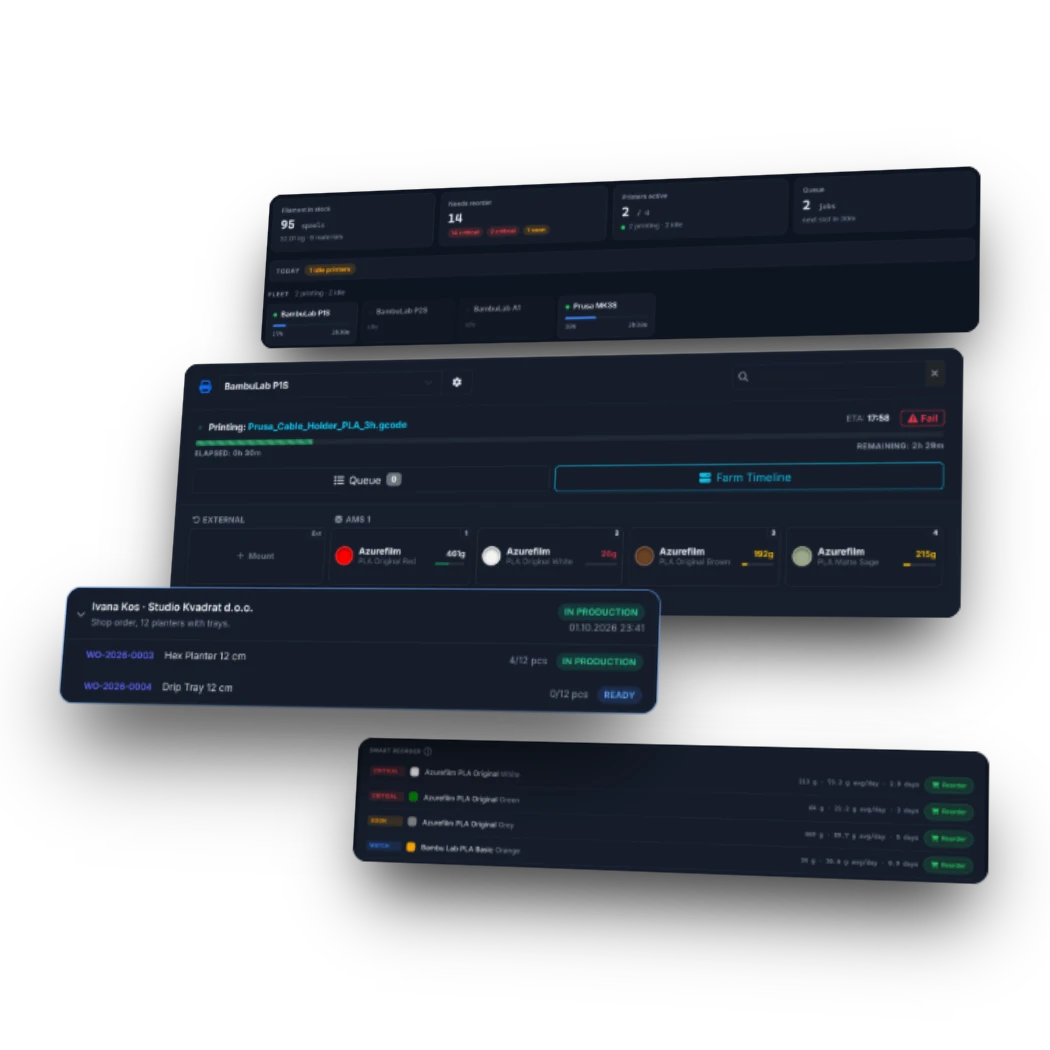
3D Print Manager: a webshop order in production, the printer with its AMS spools and the smart reorder list

Two ways to use 3D Print Manager

I print for myself

1 to 5 printers, often a Bambu Lab with AMS

  • Grams left on every spool, booked from the AMS by 3DPM Agent
  • A new Bambu spool adds itself from its RFID chip
  • Real cost of each print from the price you paid for the spool
  • Stock alarm per material before a spool runs out

PRO plan · every new account starts with 14 days of PRO, no credit card

I run a print farm or sell prints

Several printers, customer orders, deadlines

  • Shopify, WooCommerce and PrestaShop orders become work orders
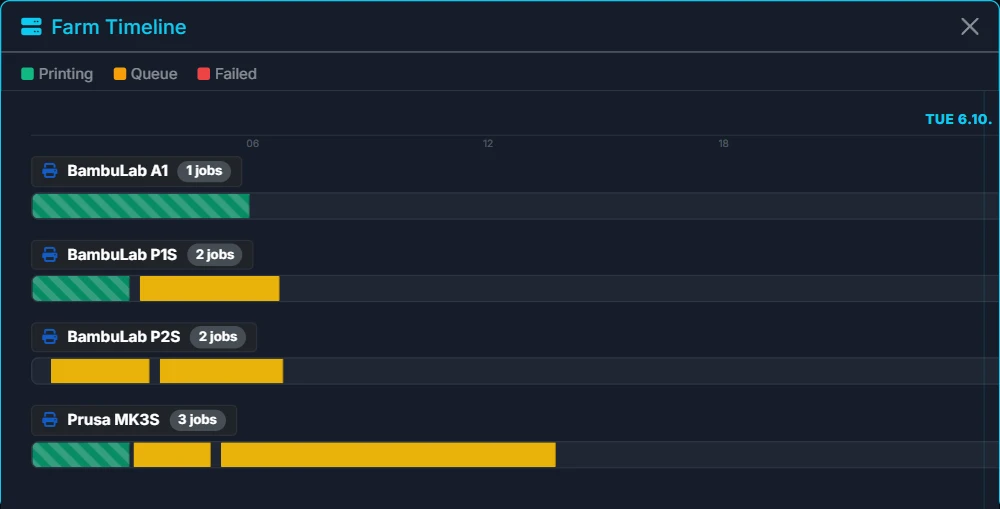
  • Farm timeline: what prints now and what goes next
  • Cost and profit per job, and what failed prints cost you
  • Quotes and invoices through Minimax or PDF, team accounts for operators

FARM Core and FARM Connect plans

PRO & FARM

3DPM Agent: your printers book their own filament

A small Windows app from the Microsoft Store reads your Bambu Lab printers through Bambu Cloud and your Prusa and Klipper printers on your local network. Each print takes its grams from the spool in the right AMS slot. Other printer brands connect through Home Assistant.

  • Print start, pause and finish arrive on their own
  • Grams come off the spool in the slot the print used; a failed print gives back what it did not use
  • A new Bambu spool in the AMS is added and mounted from its RFID chip
  • One source per printer: Agent and Home Assistant never book the same print twice
  • A message on Telegram when a print finishes or pauses, or a printer stops answering mid-print
Printer
3DPM Agent / Home Assistant
3D Print Manager

Scheduling stays yours: the Agent only reports what the printer did, it never starts or stops a print.

What is 3D Print Manager?

3D Print Manager (3DPM) is web software by dD Tech (Croatia, EU) for people who print regularly: makers with one to five printers and small print farms that sell their prints. It tracks every spool in grams, shows what each print really cost and warns before a material runs out. For farms it also turns webshop orders into work orders, schedules them across printers and issues quotes and invoices. Bambu Lab, Prusa and Klipper printers report their prints through 3DPM Agent, other brands through Home Assistant.

3D Print Manager is not a slicer, a remote control for your printer or a model library. It works next to the tools you already use and keeps the record: what was printed, with which spool and at what cost.

Where it usually goes wrong

A print is priced by feel, and the margin is a guess

The calculator adds up material, electricity, labor and margin; with PRO straight from G-code.

Filament disappears and nobody knows where

Every spool has a QR label, a location and a weight in grams, with an alarm before it runs low.

A spool runs out halfway through a print

Before a print starts you see how much is left on the spool it will use; FARM also reserves a backup spool.

From three printers on, you lose track

Printers, AMS slots, the queue and the timeline in one view.

Why not a spreadsheet?

Spreadsheet
3D Print Manager
Filament used
Typed in by hand after every print
Booked by 3DPM Agent from the AMS slot
Printers
No connection to the printer
Bambu Lab, Prusa and Klipper through the Agent, others through Home Assistant
Cost per print
A formula you keep up yourself
From the spool price, electricity and failed prints
Low stock
You notice when the spool is empty
Alarm per material before it runs out

Getting started

Up and running in 3 steps

Add your spools once. After that, usage updates on its own or with a quick scan, and every print has a cost.

1
Add your spools

Enter spools by hand or scan the barcode to fill in brand, material and color faster.

2
Update usage your way

3DPM Agent or Home Assistant books each print on its own. Without them, scan the spool's QR label, drop a G-code file or enter the weight.

3
See cost & reorder signal

Real cost per print, a stock alarm per material and failed prints in one place, so you buy filament based on actual usage.

Inventory & QR

Track every spool like a real inventory system

Manage individual spools, grouped stock, storage locations, and QR labels so you always know what you have and where it is.

  • Unique QR code for each physical spool
  • Grouped stock by material and color
  • Storage location tracking
  • Low stock alarms
  • Archive and restore old spools
3D Print Manager filament inventory: spools grouped by material with their colors, weight left per spool, grouped duplicates and a Reorder button on a low spool

Printers & AMS

Every spool knows which printer and slot it is in

Mount a spool to a printer or an AMS slot and the inventory follows: you see what is loaded where, and each print takes its grams from the right spool.

  • Printers and their AMS slots in one view
  • Mount and unmount spools; the inventory updates with them
  • Queue prints with an estimated finish time
  • A warning when the same job is already queued on another printer
3D Print Manager AMS on a printer: four mounted spools with brand, material and grams left 3D Print Manager Farm Timeline: four printers, the jobs printing now and the jobs queued next

Free calculator, no account

What does one print really cost?

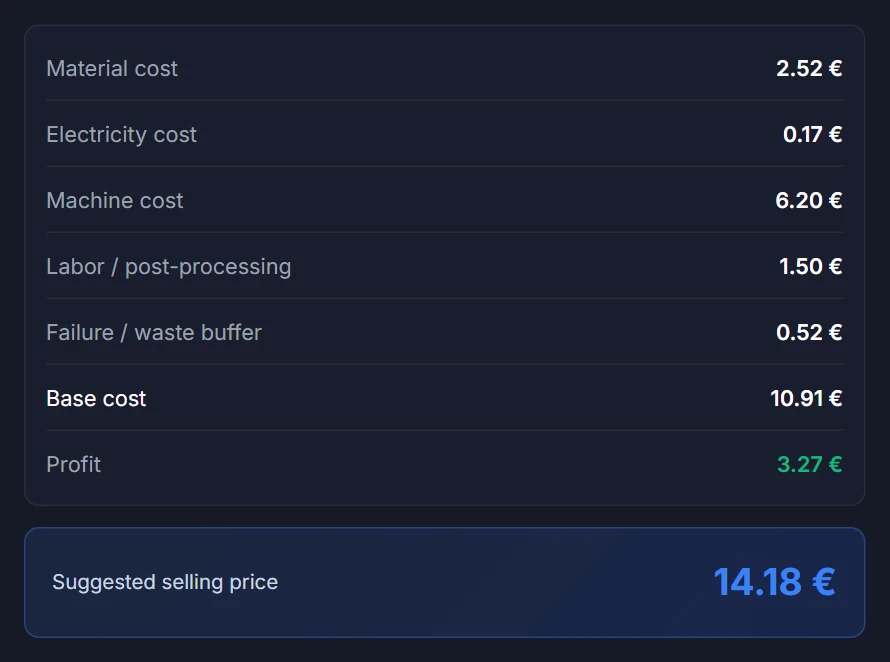
Enter the spool price, the grams and the print time. You get the cost of material and electricity, and with labor and margin a price you can sell at.

  • Material from the spool price and the grams used
  • Electricity from print time and your printer's power draw
  • Labor, machine time and margin, if you sell the print
  • With PRO, a G-code file fills in grams and time for you
Open the free calculator

No account needed.

3D Print Manager cost calculator: 126 g of filament and 6.2 hours give material, electricity, machine, labor and waste cost, profit and a suggested price of 14.18 euro

Order to print

From customer order to finished print

Every job runs through 3DPM as a work order that ties together the customer, print data, schedule, filament and cost. You schedule by hand on purpose: a farm has plates, colors, operators, rush jobs, material changes, failures and maintenance that no algorithm sees.

1. Order arrives

Shopify, WooCommerce or PrestaShop orders create the customer and Work Order automatically. You can also enter Work Orders manually.

2. Add print data

Map each product to its print data once: material, grams, print time, quantity and notes. Every later order reuses it.

3. Schedule production

Pick the printer, spool, queue position and start time yourself.

4. Track cost & stock

Filament, failed prints, print time and margin stay on the work order, not in chats and spreadsheets.

5. Quote / invoice

When the job is done, issue a quote or invoice through Minimax or as a PDF with an EU payment QR code.

Connected today: Shopify, WooCommerce and PrestaShop (orders in), Minimax and PDF (quotes and invoices out). More are planned.

Work orders

Work Orders connect your orders, printers and filament stock

Every job starts as a work order, typed in or created from a webshop order. On it you add print data, schedule the job, reserve filament and record failed prints.

  • Connects the customer, the ordered item, print data and schedule
  • Tracks filament usage, failed prints and printer hours per job
  • Leads to a quote and an invoice through Minimax or PDF
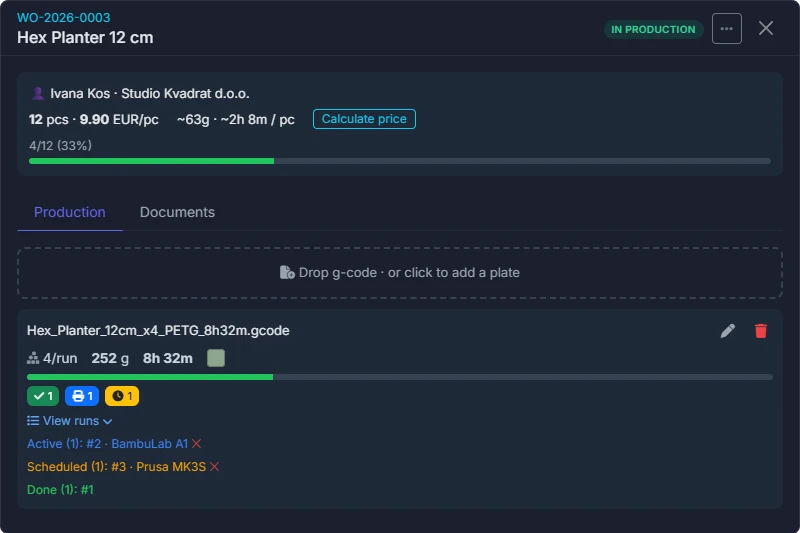
3D Print Manager Work Order: customer, quantity and price, the g-code plate with runs on two printers

Smart Reorder

Order filament before it runs out

Smart Reorder works out when each material runs out from your real usage, the queued jobs and your supplier's delivery time.

  • Predict stockouts before they happen
  • Counts queued and running jobs automatically
  • Get alerts based on your supplier's delivery time

Part of FARM Core.

3D Print Manager Smart Reorder: two filaments critical and two running out soon, with stock, daily usage, days left and a Reorder button
FARM

For farms with many printers

Plan jobs across the farm, see which printers fail and which stand idle, and keep maintenance on schedule.

  • Farm timeline and job scheduling
  • Print quality charts
  • Failed vs completed jobs
  • Printer utilization
  • Maintenance reminders
  • Reserve spool and filament debt logic

Built for real production environments

Used in setups with 20+ printers and high-volume output

3D Print Manager Failure Cost: failed prints, money and filament lost, failure reasons and failures per printer 3D Print Manager printer utilization: print hours and share of time each printer spent printing

Analytics & Insights

Better decisions from real print data

Consumption, print quality, failures, utilization and inventory value, from the data 3DPM records anyway.

Usage over time Color & material breakdown Completed vs failed jobs Filament yield Inventory value Cost per print hour
3D Print Manager analytics: daily filament consumption for the month and the stock split by color 3D Print Manager financial overview: inventory value, filament cost, print hours and cost per print hour
Works in browser
Android app
Real-time sync
Built for modern 3D printing workflows
Used in real print farms with 20+ printers

Print farms that already run on 3D Print Manager

From 8 to 20+ printers

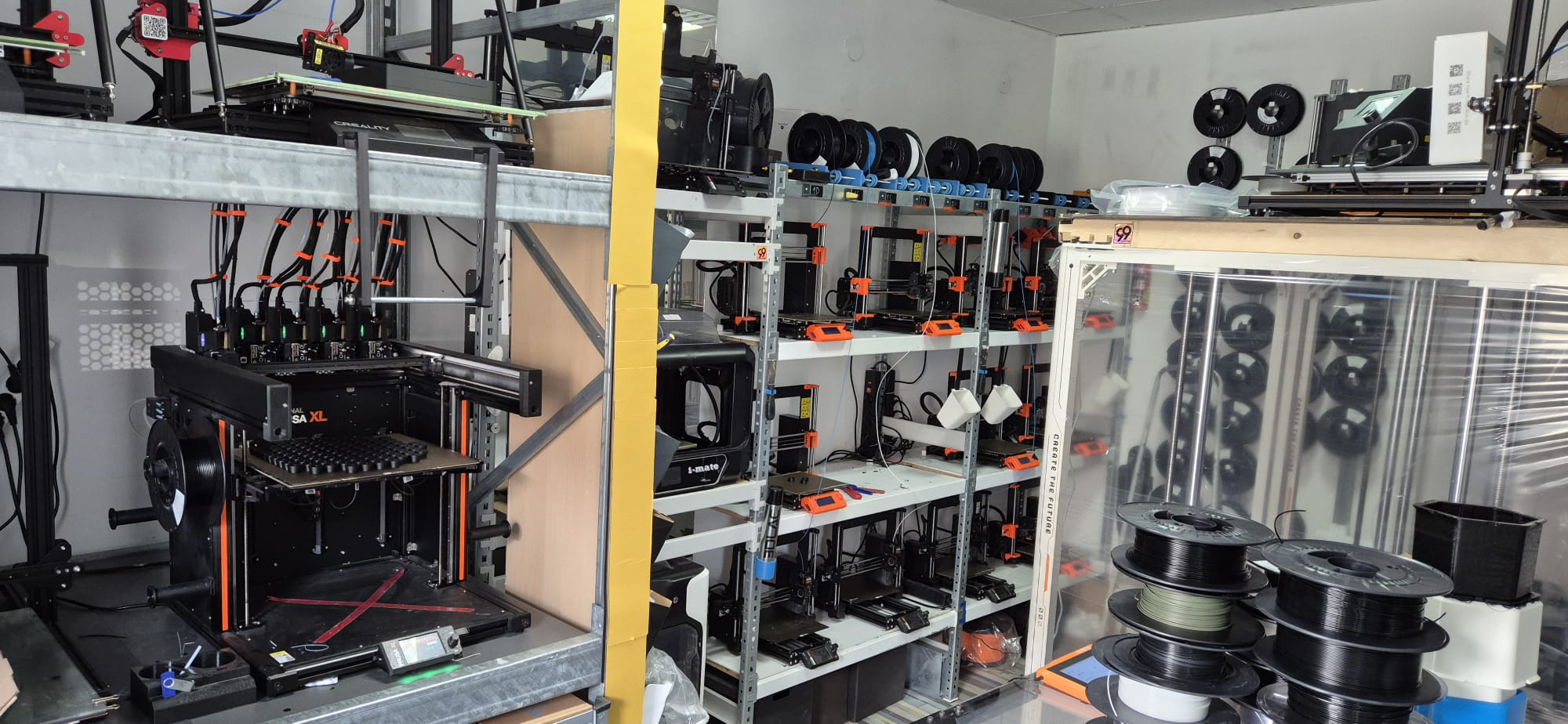
DVision 3D print farm
DVision j.d.o.o. • Čakovec

3000 kg/year. 20+ printers. Zero inventory chaos.

20+
printers
3000+
kg/year
Hundreds
spools

We never knew how much filament we had or why it kept running out. 3DPM fixed that. Now I can see everything in one place.

Danijel Višnjić, Owner @ DVision

The Problem

Managing multiple printer brands and hundreds of spools created constant uncertainty. We never knew exactly how much filament we had, where it was, or how much we were losing on failed prints.

The Solution

With 3D Print Manager, inventory and production are finally under control. We now track filament, monitor failures, and understand real usage, all in one place. Manual tracking dropped to zero.
No Ordinary Leaf print farm
No Ordinary Leaf • noordinaryleaf.com

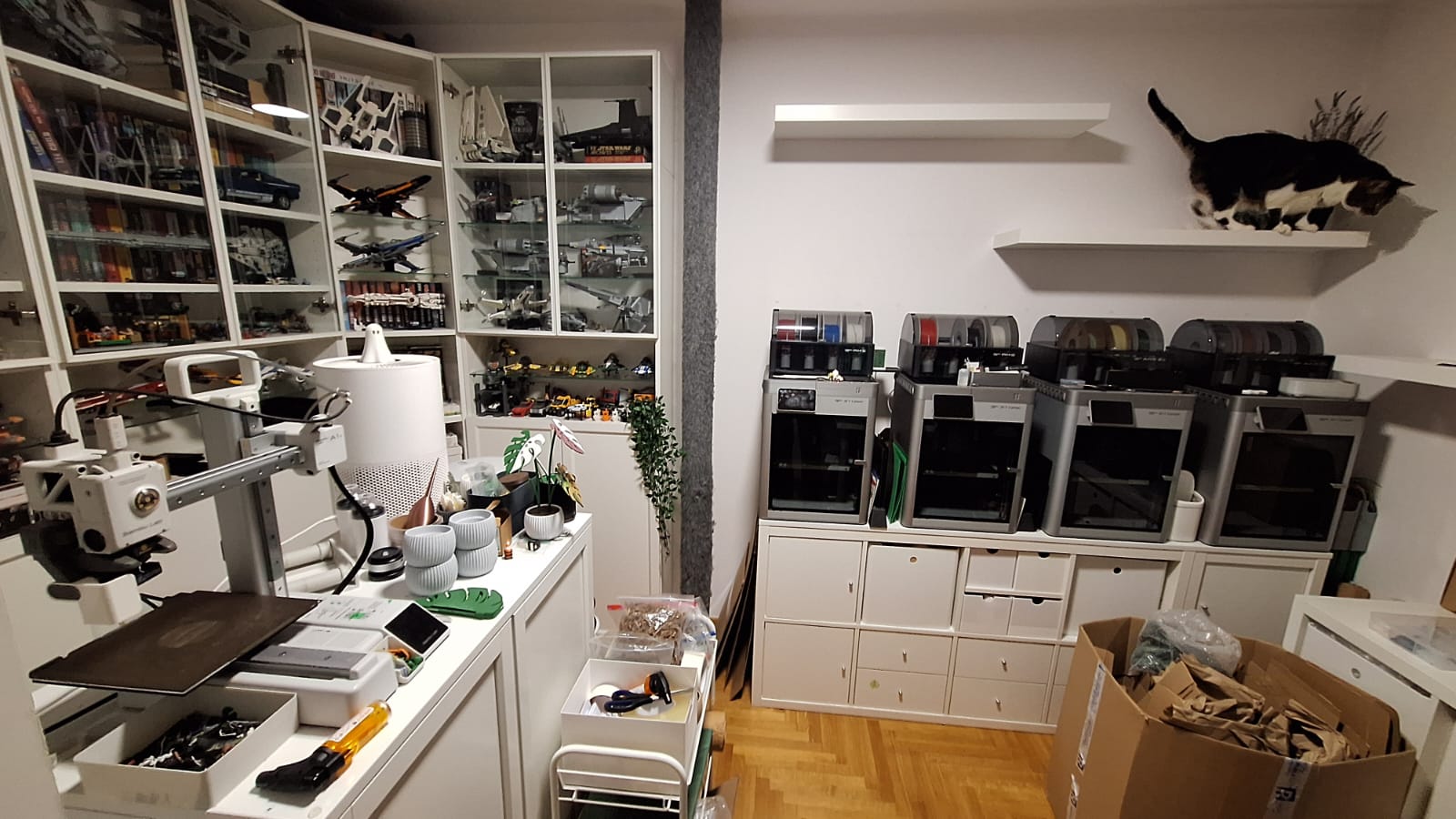
8 printers, remote storage, finally under control

8
printers
Remote
storage
Daily
production

Storage in one room, printers in another: it was always a mess. Now I handle stock, Blanka handles ordering, and we never lose track.

No Ordinary Leaf Team

The Problem

As our setup grew past 6 printers and into daily production, tracking filament became messy. Our storage wasn't in the same room as the printers, which made it even harder to know what we had, what was used, and what needed to be ordered.

The Solution

With 3D Print Manager, we finally connected storage and production into one system. Inventory, usage, and ordering are aligned, even when handled by different people. Inventory sync time dropped from hours to seconds.

Which plan fits your setup?

Compare plans
Featured on Fabbaloo

Fabbaloo highlighted 3D Print Manager for helping small print farms streamline filament inventory and avoid inventory chaos.

Read the Fabbaloo feature

3D Print Farm Management Software for Real Production Workflows

3D Print Manager is built for small and growing 3D print farms that need to replace spreadsheets and manual tracking. It covers filament inventory, spool tracking, real print cost calculation, job scheduling, work orders and analytics — while operational printer control stays with you in your slicer, printer app or Home Assistant setup.

Filament inventory and spool tracking

Track every spool by weight, color, material and location. QR labels and barcode scanning keep your filament inventory accurate without spreadsheets.

Real print cost calculation

Calculate real print costs including filament, electricity, machine time and failed prints — so small jobs stop being underpriced.

Job scheduling and printer visibility

Plan print jobs across all your printers in one queue. See what is printing, what is next and which spool each job needs — operational control stays in your slicer or printer app.

Work orders and order flow

Turn customer orders into Work Orders that connect specs, schedule, filament and cost. Issue quotes and invoices through Minimax or Generic PDF.

Multi-printer and AMS tracking

Manage multi-printer production with per-printer hours, maintenance and AMS slot mapping. Stay organized across the whole farm.

Automatic print tracking

Optional 3DPM Agent (Bambu Lab, Prusa, Klipper) or Home Assistant integration automates usage tracking — filament weight, printer hours and job state — without taking control of the printer.

Free 3D printing tools, integrations and guides

Explore the free 3D print cost calculator, 3DPM Agent, the Home Assistant tracking guides, the full user manual and what's new.

1 to 5 printers: PRO. A print farm: FARM Core, and FARM Connect when you want your webshop and invoices connected.

Choose the plan that fits your workflow

Every new account starts with 14 days of PRO, no card. A paid plan starts its own 14-day trial with a card; nothing is charged before it ends.

Running a print farm? FARM Core covers production, FARM Connect adds integrations.

FREE Version

For simple filament tracking and basic print cost checks.

0€
No credit card needed

New accounts start with 14 days of PRO, no credit card. Then the account moves to FREE unless you choose PRO.

  • FilamentsUp to 50 spools
  • Materials10 material types
  • Stock viewSearch, sort, color status
  • Low stockAuto 100g warning
  • CalculatorMaterial, power, labor, markup
  • Usage chartMonthly overview
  • Public pageShare read-only stock
  • Users1

Upgrade unlocks printers, scheduling, bulk QR label printing and integrations.

Sign Up Free

FARM Core

For print farms that manage production, work orders, scheduling and costs manually.

€19.99 / month
Price on 10 September 2026: €19.99
First 14 days free!
Card required; nothing is charged during the trial.
  • FilamentsSmart Reorder
  • PrintersFarm-ready
  • Work OrdersManual WO
  • SchedulingWork hours + reserve spool
  • CalculatorCost + Profit
  • AnalyticsOEE + Failure Cost
  • TeamMulti-user
  • Integrations3DPM Agent + Home Assistant

FARM Connect

For farms that want webshop orders and quote/invoice workflows connected to production.

€39.99 / month
Price on 10 September 2026: €39.99
First 14 days free!
Card required; nothing is charged during the trial.
  • IncludesFARM Core
  • InboundPrestaShop · WooCommerce · Shopify
  • OutboundMinimax + PDF
  • Work OrdersAuto-created
  • Print SpecsProduct Mapping
  • LogsRetry + Recovery
  • DocumentsQuotes / Invoices
  • SetupGuided Setup

Running a larger farm? For a custom setup, write to hello@3dprintmanager.eu.

FAQ

Yes, we have prepared detailed instructions. You can download them here:

Yes! The Web App works on mobile or PC. The Free version has the same limits (50 spools).

Every new account starts with 14 days of PRO, no credit card, then moves to the free plan. If you pick work orders, a print farm or 10 or more printers in the short questions after sign-up, the trial is FARM Core. PRO is 3,99€/mo (14-day free trial). FARM Core is 19,99€/mo and FARM Connect is 39,99€/mo (both include a 14-day free trial). You can cancel anytime with one click.

PRO is for advanced enthusiasts — up to 5 printers, up to 8 slots per printer, regular printing. FARM Core is for print farms that manage production manually — work orders, scheduling, costs and analytics. FARM Connect adds webshop and provider integrations on top of FARM Core (PrestaShop, WooCommerce & Shopify inbound, Minimax outbound, Generic PDF outbound — more planned).

Yes. You can track stock manually, use QR labels, and calculate print cost without Home Assistant. On a PRO or FARM plan, Bambu Lab, Prusa and Klipper printers can also book their prints automatically through 3DPM Agent, without Home Assistant.

Yes. Just drop the file and get instant values.

Yes. PRO, FARM Core and FARM Connect all support multi-printer setups.

Two groups. Makers with 1 to 5 printers who want to know how much filament is left and what a print costs (PRO, with 3DPM Agent). And sellers and small print farms that run real production: customer orders, work orders, filament stock, quotes, invoices, deadlines and failed prints (FARM).

No. 3DPM is focused on production organization around the printers: inventory, work orders, scheduling, costs, analytics and integrations. Printer control stays in your slicer, printer app, OctoPrint, Bambu/Prusa ecosystem or Home Assistant setup.

Because real 3D print farms have physical constraints: plates, colors, operators, failed prints, urgent jobs, material changes and maintenance. 3DPM gives you visibility and scheduling tools, but the final production decision stays with you.

FARM Connect adds inbound and outbound workflows to FARM Core. Webshop orders (WooCommerce, PrestaShop, Shopify) can become Work Orders automatically, and for orders you make in 3DPM quotes/invoices can be generated through connected providers such as Minimax or Generic PDF.

The calculator uses your actual spool price, printer power draw, and print time. You can set custom values for energy rate, labor, and markup in Preferences. Accuracy depends on your inputs: spool price, energy rate, print time, labor and markup — the more precise your inputs, the closer the result tracks your real costs.

Yes — with FARM Core or FARM Connect you can invite team members. Each person logs in with their own credentials. Operators can update inventory and jobs without accessing billing or settings.

Smart Reorder calculates your average daily filament usage over 7–30 days, factors in queued print jobs, and compares that to your supplier delivery time. If your stock won't last until the next delivery, you get a CRITICAL or SOON alert — before it becomes a problem.

Any printer can be tracked manually. For automated tracking (filament auto-deduction, job status) on a PRO or FARM plan, Bambu Lab, Prusa (PrusaLink) and Klipper (Moonraker) printers connect through 3DPM Agent for Windows, other brands through Home Assistant. G-code files from PrusaSlicer, Bambu Studio, Cura, and OrcaSlicer work with the cost calculator.

You keep access until the end of the paid period. After that the account moves to the free FREE plan, and cancelling does not delete your data: filaments, locations and orders stay saved. You can export your inventory as CSV at any time (Settings → Import / Export).

Know what every print costs.

Every new account starts with 14 days of PRO, no credit card. Add your first spools and see the cost of your next print.