Mixed-fleet FAQ
Can I manage Bambu Lab and Prusa printers together?
Yes. 3D Print Manager is brand-agnostic for the production layer. Filament inventory, costs, work orders and scheduling work the same way whether a job runs on a Bambu Lab or a Prusa machine, so a mixed fleet lives in one place.
Does it replace Bambu Studio, PrusaSlicer or Bambu Handy?
No. 3D Print Manager does not slice and does not replace your printer's own apps. You keep using Bambu Studio, PrusaSlicer, Bambu Handy and the printer touchscreen to prepare and control prints. 3DPM manages the business and production layer around them.
How does it connect to Bambu and Prusa printers?
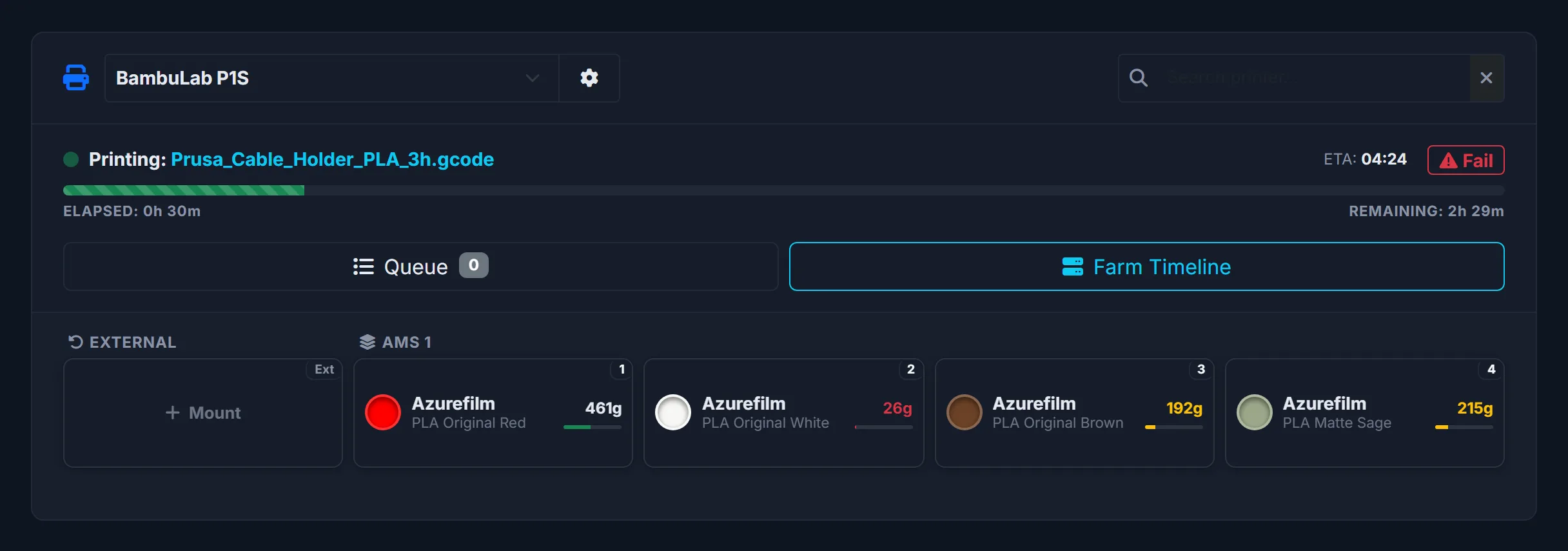
Through 3DPM Agent, a desktop app for Windows (Microsoft Store) that you can later move to a Linux server (PRO and FARM plans): it reads Bambu Lab printers through your Bambu Lab account, the way Bambu Handy does, and Prusa (PrusaLink) and Klipper (Moonraker) printers on your local network. Other brands connect through Home Assistant. The data flows one way, into 3DPM.
Does 3D Print Manager control my printers?
No. 3DPM does not start, stop, pause or send jobs to your printers. It records what the printers report through 3DPM Agent or Home Assistant and updates inventory, costs and the production timeline. Control stays with your slicer and printer apps.
What about multicolor and AMS tracking?
Single-spool deduction is automatic. With 3DPM Agent a multicolor Bambu print is booked per AMS slot: each spool is charged the grams the slicer planned for it, and a cancelled or failed print gets the unprinted part back by its last reported progress. Home Assistant cannot read the per-color breakdown, so through Home Assistant automatic tracking deducts from the spool active when the print starts; for accurate multicolor accounting there, use the manual drag-and-drop G-code feature inside 3DPM. Original Bambu Lab spools with an RFID tag also mount themselves, with no question per spool: 3DPM puts each one in the slot where the AMS reads it, and a new one joins the inventory by itself. Spools of other brands are mounted by hand or with a barcode scan.
Does it work with Klipper or other printers?
Klipper, yes: 3DPM Agent reads Klipper printers through Moonraker on your local network, the same way it reads Prusa through PrusaLink. Other printers that expose their status to Home Assistant may be adaptable, but they are not officially supported — check the Home Assistant setup guide before relying on them.